When you launch the app, the first thing that catches your eye is the Stories tray. That bright, animated ring around a profile picture feels less like a marketing gimmick and more like a backstage pass into someone’s day. A quick burst of a creator’s studio, a teaser of a photoshoot, or a casual poll about which color to restock—stories are the bite‑sized, in‑the‑moment content that can’t be missed. Because they sit at the very top of the feed, your followers see them before they even start scrolling, meaning you’re front‑and‑center when they open Instagram.
For creators and brands alike, Stories provide a low‑pressure channel to stay visible. They let you show up consistently, keep the conversation going, and test ideas without the permanence of a regular post.
What Exactly Is an Instagram Story?
An Instagram Story is a vertical photo or video that disappears after 24 hours. When you post one, a colorful ring surrounds your profile picture, signaling to your audience that fresh content is available. This ring also appears in the Stories tray, giving your story prime real estate at the top of your followers’ home screens. Unlike the curated grid, Stories can be edited, deleted, or hidden from certain audiences—such as a Close Friends list—making them ideal for behind‑the‑scenes glimpses or exclusive updates.
The temporary nature of Stories invites experimentation. Small business owners might share unedited work videos, product shots, or FAQ snippets, while influencers can give fans a casual day‑in‑the‑life tour or chat about relatable experiences. Because they vanish quickly, stories encourage spontaneity and authenticity.
Why You Should Be Using Stories
Stories aren’t a tool for acquiring brand new followers; they’re a way to keep your current audience engaged and loyal. Adam Mosseri, Instagram’s Head, has called Stories “a way to reach your most passionate audience.” The built‑in interactive features—polls, questions, link stickers—turn the passive viewer into an active participant. According to Instagram’s data, more than 500 million people were using Stories daily two years after the feature launched, proving its reach and relevance.
In short, Stories help you remain top of mind, boost engagement, and spark interest in what you offer. They’re a low‑stakes, high‑rewards addition to any social media strategy.
How to Publish a Story in Minutes
Start by swiping left anywhere on the home screen or tapping the “+” icon and selecting “Story.” You can capture a new photo or video by pressing the white circle or upload from your gallery using the album icon. Remember that the ideal dimension is 1080 × 1920 px and videos should be under 60 seconds. Once you’ve added your media, enhance it with stickers, emojis, filters, or text. You can even draw or ask a question—Instagram’s built‑in tools make this a breeze.
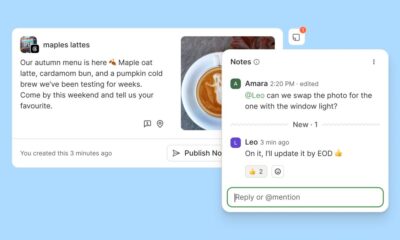
If you’re looking to streamline the process, Buffer’s scheduling feature lets you create and preview stories in bulk. Simply drag your files into the scheduler, set a publication time, and let Buffer notify you when it’s ready to post. This way, you can keep your Stories consistent without spending hours each day.
Exploring the Different Story Formats
Instagram offers several native formats beyond the standard photo or video. The “Create” mode lets you build a story with solid backgrounds and customizable fonts—perfect for posing a question or sharing a quick thought. “Boomerang” captures a short looped clip, adding a playful, kinetic element. “Layout” aggregates multiple images into a collage, while “Hands‑free” records video automatically, freeing you from holding the button. Each format opens a new creative angle, allowing you to tailor your content to the story’s purpose.
Supercharge Engagement with Stickers
Stickers are the secret sauce that turns a static story into an interactive experience. You can add text, GIFs, polls, and even a countdown. Placing a sticker anywhere on the screen—by dragging and resizing—lets you design the layout exactly how you envision it. Instagram now offers shop stickers that link directly to products, captions stickers that auto‑generate subtitles, and donation stickers that facilitate charitable giving. By weaving these elements into your stories, you invite viewers to participate, learn more, or even make a purchase without leaving the app.
One standout is the “Add Yours” sticker, which creates a public thread where users can contribute their own stories around a theme. When many people join the thread, it forms a community conversation that can attract new viewers and deepen existing relationships.
Link Stickers: The New Swipe‑Up
Instagram replaced the older swipe‑up feature with the link sticker, making it accessible to every account, regardless of follower count. Placing a link sticker in your story gives viewers a clear, clickable path to a website, product page, or blog post. Because the sticker can be positioned anywhere, it’s easier to integrate into the visual flow of your story. For creators, this means you can drive traffic to your latest video, lead magnet, or booking calendar with a single tap.
Saving Stories for the Long Haul: Highlights
Once a story expires, you can choose to preserve it as a highlight. Highlights appear as tappable circles below your bio, offering a permanent showcase of your best or most relevant stories. Brands often use highlights to display menus, product lists, or testimonials, ensuring that key information never disappears. Creators might archive milestone moments, partnership highlights, or affiliate links. To add a story to a highlight, simply open the story, tap the highlight button, and select the desired folder.
Decoding Story Analytics
If you run a business or creator account, Instagram Insights provides detailed analytics for each story. Swipe up on a story, tap the activity icon, and you’ll see metrics such as reach, impressions, replies, and exits. These numbers reveal which stories resonate, how viewers interact, and whether new followers are being attracted. For deeper dives, Buffer’s analytics dashboard offers trend data and performance comparisons, helping you fine‑tune future content.
Building a Winning Story Strategy
Research shows that posting between one and seven stories per day yields the highest completion rates—over 70 % of viewers watch through the entire sequence. Consistency matters; the algorithm favors accounts that regularly engage their audience. Timing is equally critical; weekday afternoons tend to see the most interaction, but experimenting with evenings can uncover niche peaks. Combine these timing insights with creative tools like polls and questions to keep your stories fresh and engaging.
Consider integrating story ads for targeted reach, especially if you have an Instagram shop. Full‑screen ads capture attention, and by linking directly to your product, they convert views into clicks. For a cohesive brand look, use templates that align with your feed aesthetics; this consistency strengthens recognition across posts, reels, and stories.
Elevate Your Stories with Buffer
Buffer’s platform allows you to plan, preview, and schedule stories ahead of time. With a single notification, you can publish the content exactly when you intend, freeing you to focus on real‑time engagement. Buffer’s visual editor shows you how each story will appear live, ensuring that stickers, text, and filters line up perfectly across devices.
Frequently Asked Questions
What’s the difference between a story and a regular post? Stories vanish after 24 hours, sit at the top of the feed, and support interactive stickers, whereas regular posts remain permanently on your grid, can appear in Explore, and are better for ongoing discovery. How can I see who viewed my story? Swipe up on the story and the list of viewers will appear; Instagram retains this data for 48 hours. Can people tell if I’ve watched their story? Yes, the viewer list will show your username, but it won’t reveal how many times you viewed it.
Further Resources to Keep Your Story Game Strong
Explore guides on collab posts, trending audio sounds, monetization strategies, image size specifications, and follower growth tactics. Each resource offers actionable insights to complement your story strategy, ensuring that your content not only captivates but also converts.
By mastering stories, you harness a dynamic, real‑time channel that keeps your audience engaged, builds loyalty, and drives measurable outcomes. As Instagram continues to evolve, staying ahead of new features—like link stickers and expanded analytics—will keep your brand at the forefront of the platform’s ever‑shifting landscape.