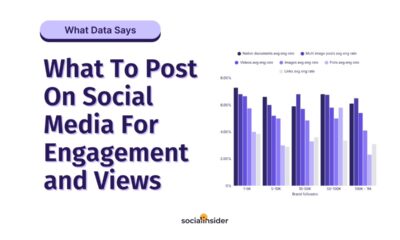
Everyone’s obsessed with TikTok for video marketing, and honestly, brands are sleeping on YouTube. That’s a mistake, especially when you consider that YouTube is effectively the world’s second-largest search engine. According to Socialinsider’s short-form video performance study, YouTube Shorts pulls in more views than both TikTok and Instagram Reels, with a 23% advantage for smaller accounts. If you’re not investing in YouTube marketing yet, consider this your wake-up call.
But posting without tracking is like throwing pasta at the wall and hoping something sticks. Without understanding what’s actually working, you’re burning resources for nothing. That’s where YouTube analytics tools come in, and the right one can transform how you make decisions about content, strategy, and budget allocation.
Why YouTube Analytics Matter More Than Ever
The creator economy has matured to the point where gut feelings and vanity metrics simply don’t cut it. You need to know which videos drive subscriber growth, which thumbnails actually get clicks, and where viewers abandon ship. That’s the difference between a channel that plateaus and one that compounds growth month over month.
Here’s the thing though. YouTube’s native analytics are solid for first-party data, but they won’t tell you how your competitors are performing or whether your TikTok content would crush it on Shorts. You need tools that fill those gaps.
How to Evaluate YouTube Analytics Tools
When I assess analytics platforms, I look at four core dimensions. First, metrics depth: not how many numbers you get, but whether the visualization tells a story. A well-designed audience retention graph showing exactly where viewers drop off beats five static metrics every single time.
Second, competitor tracking matters enormously. Benchmarking gives you context for whether your engagement rate is actually good or just average for your niche. The best tools let you compare against both similar accounts (for realistic expectations) and aspirational ones (for inspiration).
Third, cross-channel analysis. Video content travels: what works on TikTok often performs well on YouTube, and vice versa. Without cross-platform data, spotting these patterns becomes tedious, and you risk missing opportunities hiding in plain sight.
Fourth, automated reporting. Set it up once, and have reports land in the same format, on schedule, without weekly tweaking. Consistent reporting removes the human factor entirely, which matters when you’re managing stakeholders who need reliable updates.
One more thing worth noting: AI features. I don’t rely on AI for content creation, but having it help read metrics, identify patterns, and surface keyword opportunities? That’s genuinely useful and speeds things up considerably.
Quick Comparison: Top YouTube Analytics Tools for 2026
Time is money, so let’s cut to the chase. Socialinsider excels at competitive benchmarking and cross-channel reporting, starting at $82 per month billed annually with a 14-day free trial. YouTube Studio provides native, first-party retention and traffic data for free. vidIQ focuses on YouTube SEO and AI-powered growth suggestions, with paid plans from $16.58 per month.
ContentStudio offers publishing, AI content, and YouTube reporting in one dashboard. Tubular Labs specializes in audience intelligence and creator partnerships with custom pricing. Vidyard connects video to pipeline and revenue attribution, with paid plans from $59 per user per month.
SocialPilot is the budget-friendly all-in-one option for small teams at $30 per month. Viewstats handles outlier research and video ideation with a free tier and Pro at $49.99 monthly. AgencyAnalytics provides white-label client reporting starting at $20 per client per month billed annually.
Deep Dive: Socialinsider for Competitive Benchmarking
Socialinsider stands out because it lets teams analyze any public YouTube channel without requiring account access. You can track subscriber growth, engagement rates, views, likes, posting frequency, and top-performing content across competitors. For agencies and brands serious about understanding their competitive landscape, this capability alone justifies the investment.
The platform’s cross-channel analysis extends beyond YouTube to TikTok, Instagram, and Facebook, giving you a unified view of video performance across platforms. When you notice that a particular format crushes it on TikTok but flops on YouTube, that’s actionable intelligence you can use immediately.
Native Analytics: YouTube Studio
YouTube Studio remains the gold standard for first-party data. Nobody knows your channel better than YouTube itself, and the platform gives you retention curves, traffic sources, demographics, and real-time performance metrics for free. The limitation? You can’t see how competitors are doing, and cross-platform comparison requires manual work.
Think of YouTube Studio as your foundation. It gives you the raw data about your own performance, but you’ll want additional tools to contextualize that data against the broader market.
SEO and Growth: vidIQ
vidIQ focuses on helping creators optimize for YouTube’s search algorithm. The tool surfaces keyword opportunities, analyzes competitor tags, and provides AI-powered suggestions for titles and descriptions. For creators who treat YouTube like a search engine (which they should), vidIQ provides tangible SEO value.
The free tier is genuinely useful, and paid plans unlock more advanced features like daily idea generation and competitor tracking. If organic discovery is your primary growth channel, vidIQ deserves serious consideration.
Revenue Attribution: Vidyard
For B2B companies using video as part of their sales funnel, Vidyard bridges the gap between video views and actual revenue. The platform tracks how prospects interact with video content and connects those interactions to CRM data, showing which videos actually influence deals.
This level of attribution matters when you need to justify video marketing spend to leadership. Instead of talking about views and engagement rates, you can point to pipeline influence and closed revenue.
Budget-Friendly Options: SocialPilot
SocialPilot offers a surprisingly robust feature set at a fraction of enterprise pricing. At $30 per month, small teams get scheduling, analytics, and reporting across multiple platforms including YouTube. White-label options start at $100 per month for agencies needing branded reports.
Is it as deep as specialized analytics tools? No, but for teams just getting started with YouTube measurement, it provides a solid foundation without breaking the bank.
The Bottom Line on Choosing Your Tool
The best YouTube analytics tool for your team depends entirely on the decisions you make every month. Leadership reporting requires different capabilities than SEO optimization or creator partnership evaluation. Map your actual decision-making needs to tool features, not the other way around.
Start with YouTube Studio to understand your baseline, then layer in specialized tools as your needs evolve. The investment pays for itself when you stop guessing and start making decisions based on actual performance data.
As YouTube continues evolving with Shorts, live shopping, and AI-driven recommendations, the analytics landscape will shift again. Tools that adapt quickly and integrate AI meaningfully will become indispensable. The creators and brands who embrace measurement now will be positioned to capitalize on whatever comes next.