
The first time I opened Meta Ads Manager, I closed it again within about ninety seconds. I like to think of myself as reasonably tech-savvy, someone who enjoys poking at a new tool, yet the sheer density of buttons and options sent me straight for the exit. Good news, though: I eventually figured it out, and you can too. It genuinely isn’t difficult once you understand the correct order of operations, and running Facebook ads is seriously worth the effort if that’s where your audience spends its time. With more than three billion users on the platform, it probably is.
Why Bother Advertising on Facebook in the First Place
Facebook advertising justifies its setup time for one reason above all: targeting. You can reach people by life event, job history, or recent purchase behavior, which almost no other platform offers at this scale. Organic posting simply can’t compete here, because the algorithm decides who sees your page content, and that decision isn’t yours to make. Paid reach is another story entirely.
When you build a campaign, you can get granular with demographics like gender, location, and age. Where Facebook truly differentiates itself, though, is lifestyle-based targeting: interests, behaviors such as recent purchases, education and job history, income brackets that vary by location, major life events, even spoken languages. If you’d rather not assemble that audience yourself, Meta’s Advantage+ features lean on AI to optimize campaigns in real time and match your ads to the people most likely to act. It’s a little like having a media buyer who never sleeps.
Because Meta owns both Facebook and Instagram, you can run ads across both networks simultaneously. That means access to even more social users, even if you’ve never bothered to post a single Instagram story. Most social platforms make you buy reach one network at a time, so this cross-platform integration is genuinely unusual.
Tracking matters too. Meta retired its full Facebook Analytics platform back in 2021, but the company still offers robust tools for measuring reach, engagement, and conversions, all updated live. The Meta Pixel deserves special mention: drop that snippet of code onto your website, and you can monitor user behavior, track ad effectiveness, and build custom audiences for future campaigns. Most content management systems make adding it painless.
Define Success Before You Touch Ads Manager
Decide what winning looks like before you open the dashboard, because the objective you select locks in what Facebook optimizes for. If you want app downloads, pick a number and commit to it. If leads are the goal, define what a useful email list actually looks like in your world. Having that target in hand makes the objective choice obvious when you reach it, and it keeps your ad strategy following your broader social media plan rather than the other way around.
How the Three-Layer Structure Actually Works
Everything in Meta Ads Manager hangs off three layers: campaign, then ad set, then the ad itself. Picture a Russian nesting doll, except each layer controls something specific. The campaign holds your objective. The ad set defines budget, schedule, audience, and placement. The ad is the creative people actually see.
Start by creating your account, which requires a Facebook Page and a verified payment method. From there, pick a buying type and a campaign objective, set your budget and schedule, choose who sees the ad and where it appears, build the creative, then publish it for review. Sounds like a lot, and honestly, the first pass will feel clunky. By the second or third campaign, though, the rhythm becomes second nature.
Budgeting Without Overthinking It
You can set daily or lifetime budgets, with a minimum of one dollar per day per ad set. That low floor is genuinely useful for testing, because you can validate an audience or a creative concept without burning serious money. Most campaigns start delivering impressions within a few hours, so feedback arrives quickly.
Placement and Creative Choices
Decide where your ads appear: Facebook feed, Instagram, Stories, Reels, or a mix. Let Meta’s automated placements do the work if you’re unsure, or restrict them if you know your audience skews toward a specific surface. The creative itself should match the placement; a vertical Reel and a square feed image are not interchangeable.
What It Actually Costs to Run Facebook Ads
Costs fluctuate based on audience competition, ad quality, placement, and season. There’s no universal price tag, which frustrates newcomers who want a clean answer. The honest framing: you control the budget, Facebook controls the auction, and the intersection of those two determines your results.
Start small, measure carefully, and scale what works. The Meta Pixel and Conversions API give you the data to make those calls, adjusting campaigns based on live performance rather than guesswork. If something isn’t converting after a fair test, kill it without sentiment.
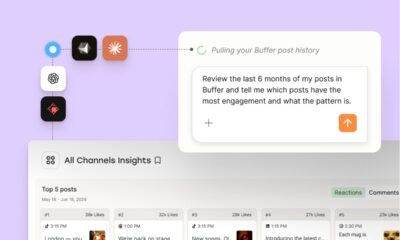
Ads are only half the picture, by the way. The organic posts on your Page are what people see when your ad sends them there, so a neglected profile undermines even a brilliant campaign. Scheduling and analytics tools can help you plan organic content, see which posts earned engagement, and then put money behind the winners. That feedback loop between organic and paid is where the real leverage lives.
Looking ahead, expect AI-driven optimization to absorb more of the manual work, with Advantage+ style automation becoming the default rather than an option. The advertisers who thrive will be the ones who understand the underlying structure well enough to direct the machines rather than fight them. Learn the three layers now, and you’ll be steering the algorithm instead of staring at a dashboard wondering why you closed it ninety seconds ago.